Sift

Sift Clips › Press

Press

Sift Clips press kit.

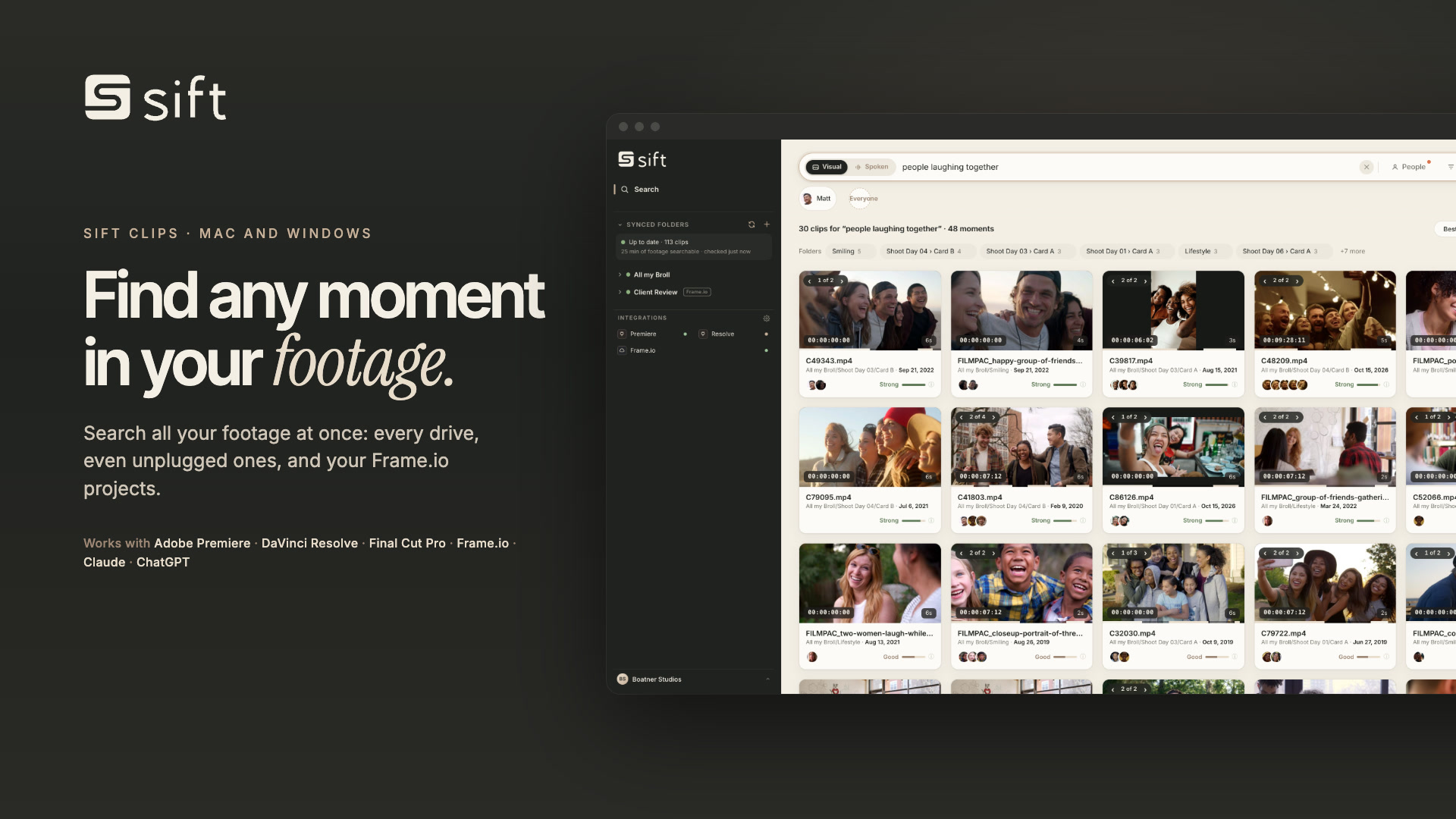
Sift Clips searches all of an editor’s footage at once: every drive, even unplugged ones, and Frame.io. Here’s everything you need to write about it: the facts, the latest news, images, logos and a demo video.

Images, logos, a 40-second demo and a fact sheet in one file.

About Sift Clips

Sift Clips is a desktop app for Mac and Windows that finds any moment in an editor’s footage.

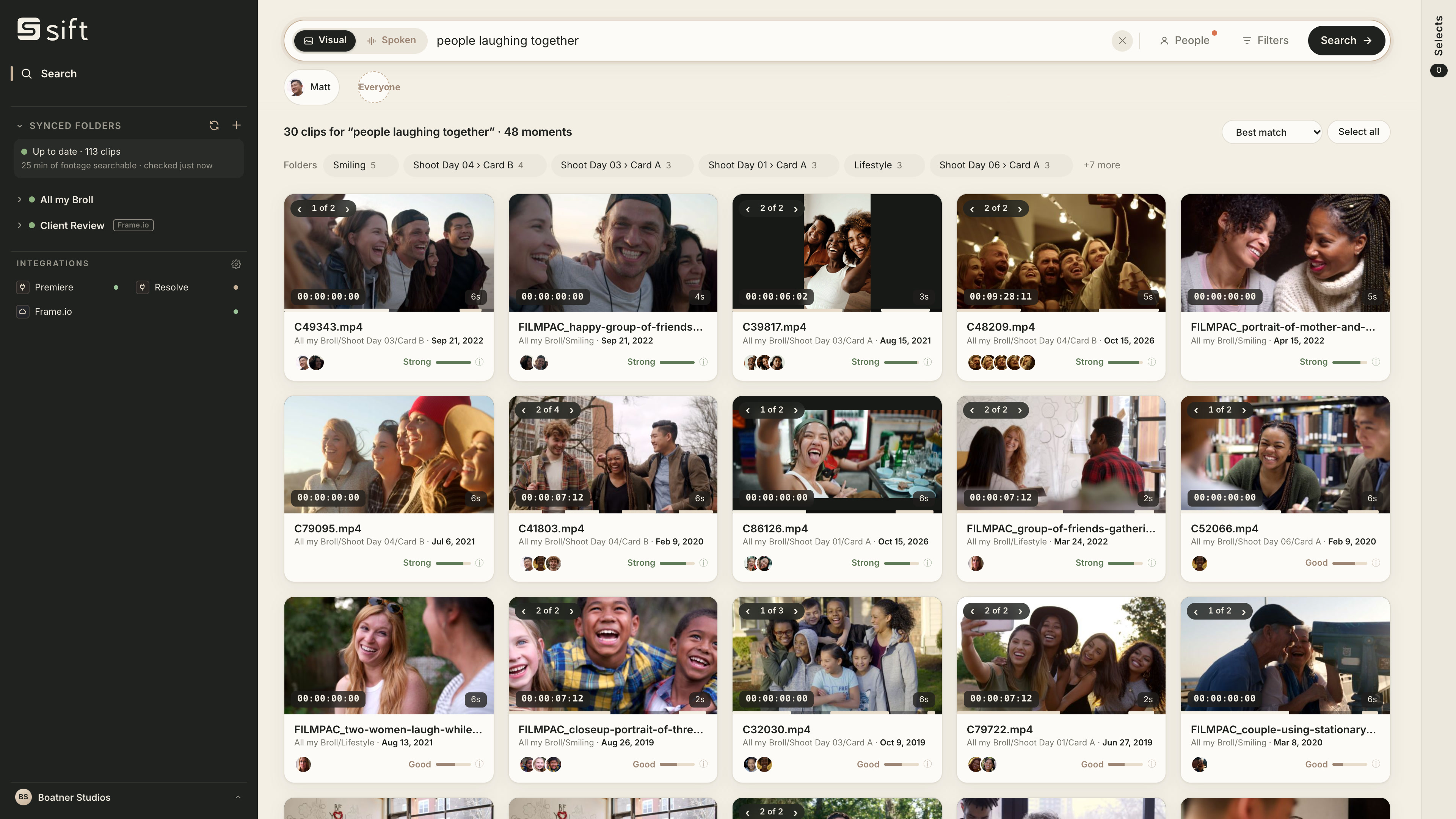
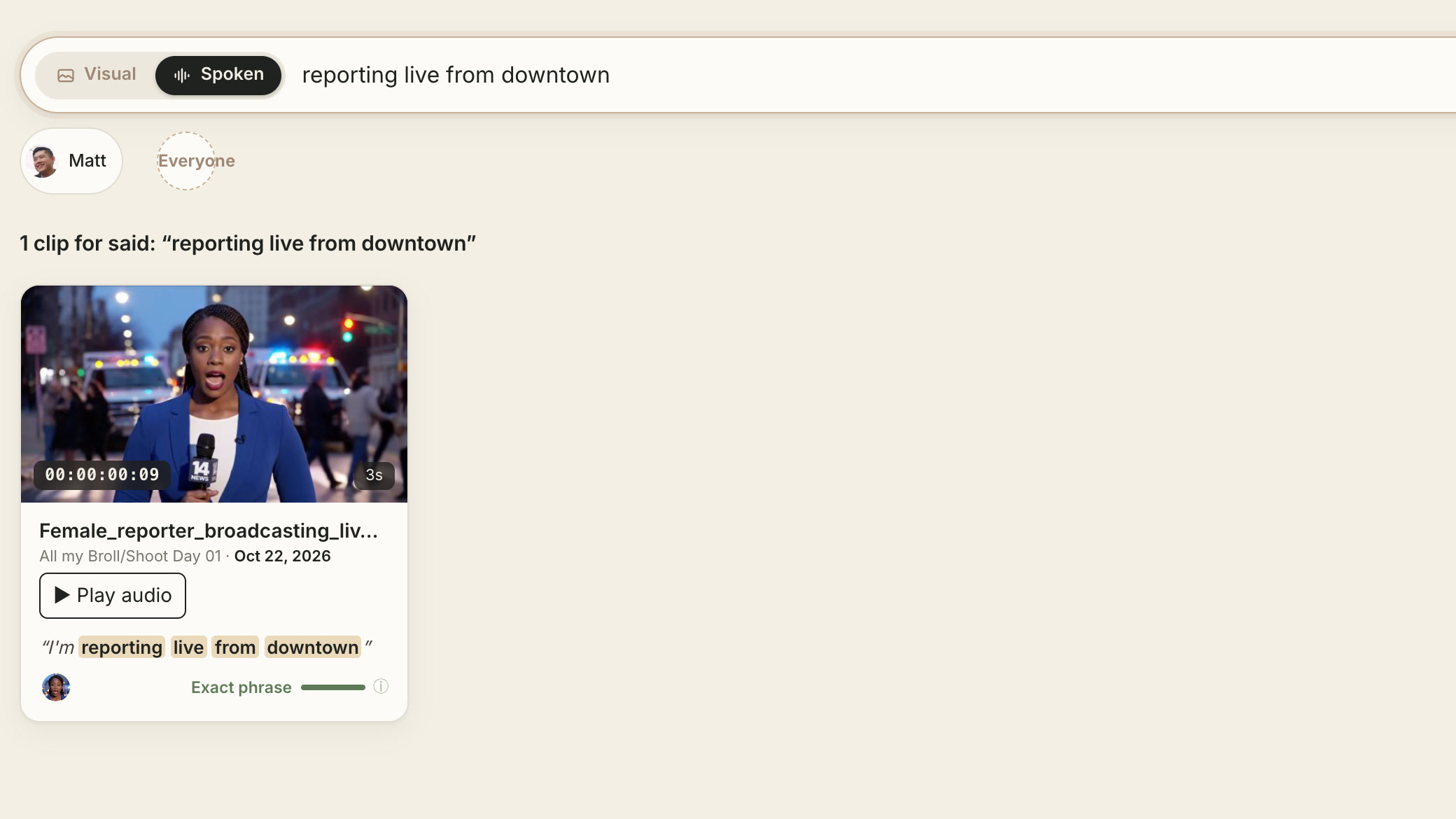
Editors describe a shot, a line or a person, and Sift takes them to the exact frame. Nothing needs tagging. It searches everything at once: every drive, even archive drives that aren’t plugged in, plus Frame.io projects and synced cloud folders.

Search runs on the editor’s own computer, so footage is never uploaded. Sift works on its own or inside Adobe Premiere, DaVinci Resolve and Final Cut Pro. AI assistants like Claude and ChatGPT can use it to find, check and line up footage, while the editor makes the cut.

Sift Clips costs $99 a year after a free trial. It is made by Boatner Studios.

Latest news.

Recent announcements from Sift Clips.

Sift Clips 1.0.14 · October 29, 2026

Sift Clips 1.0.14 gives AI assistants an editor’s eye, and leaves the cut to the editor

An editor’s own Claude or ChatGPT can now find footage with an editor’s filters, check how each shot moves and sounds, organize Selects with undo, read the open Premiere or Resolve timeline, and line up b-roll on a new timeline. Sending, exporting and sharing wait for the editor’s Allow, and the editor’s sequence is never changed. Clients can search footage an editor shares with their own assistant: small copies only, never originals. Read the full release.

Sift Clips 1.0.13 · October 28, 2026

Link sharing: footage clients can search, and send picks back from

Editors share a folder, a Selects reel or a search as one link. Clients, producers and marketing teams search it by what’s on screen, what’s said and who’s in it on any phone or laptop, tick the moments they want with notes, and their picks land in the editor’s Sift with in and out points. One free link comes with Sift; plans are $29 or $79 a month. How Link sharing works.

Sift Clips 1.0.12

Sift Clips 1.0.12: one search across every drive and Frame.io, now inside Final Cut Pro

Editors’ footage is scattered across internal drives, shelves of archive drives and Frame.io. Sift Clips 1.0.12 searches all of it at once: drives that aren’t plugged in stay searchable from Sift’s own index, and Frame.io projects now sit right next to them, searchable by picture and speech. An original downloads only when the editor brings a clip into the edit. The new Final Cut Pro panel joins the Premiere and Resolve panels: search every drive from inside Final Cut, drag a moment onto the timeline already trimmed and marked, or drop a clip on the panel to find shots that look like it. Both are included in the $99 license.

Adobe Premiere

Sift Clips is on Adobe’s Creative Cloud Marketplace

The free Sift Clips panel for Adobe Premiere is reviewed by Adobe and listed on Adobe Exchange, the Creative Cloud Marketplace, so Premiere editors can install it from Creative Cloud. It connects to the Sift Clips app on the same computer. See the listing.

In the press.

What others have written about Sift Clips.

Fact sheet.

Current as of Sift Clips 1.0.14.

ProductSift Clips (the app is also called Sift), a footage search app for video editors
Made byBoatner Studios
Websitesiftclips.com
Price$99 a year for one computer, Mac or Windows (one at a time)
Free trial3 days or 25 searches, no card
MacApple Silicon (M1 or newer), macOS 15 or newer
WindowsWindows 10 (1809 or newer) or Windows 11, 64-bit. No graphics card needed. Code-signed installer (publisher Andrew Boatner)
SearchesAll your footage at once: every drive (even unplugged ones), Frame.io projects, and folders synced by Google Drive for desktop or Dropbox
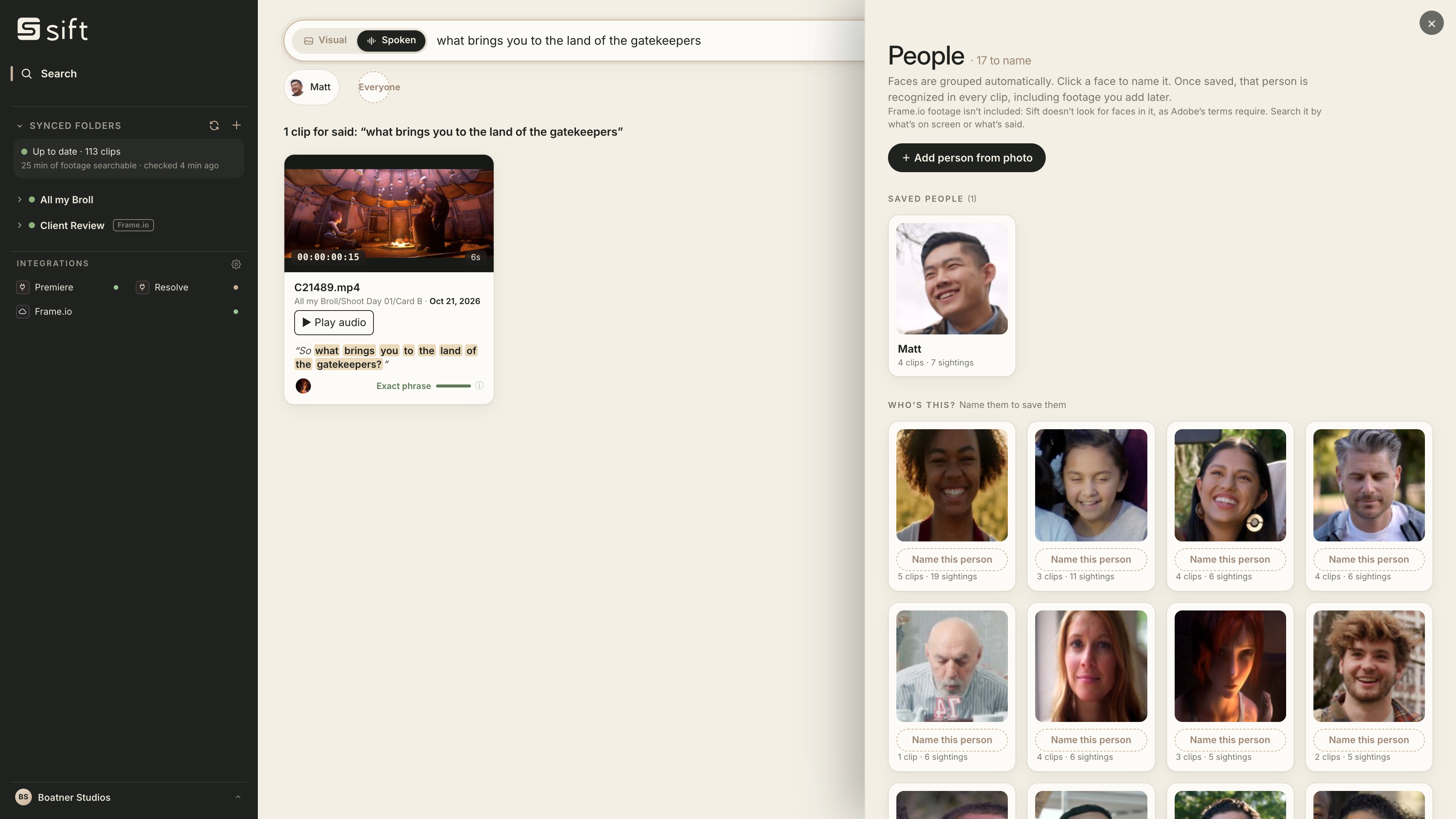
Searches byWhat’s on screen (Visual), what’s said (Spoken) and who’s in it (People)
Unplugged drivesSift keeps its own index on your computer, so clips on unplugged drives stay searchable. Plug the drive back in to open the clip
Cloud foldersAdd a folder synced by Google Drive for desktop or Dropbox. The sync app must be running; online-only files download once while Sift indexes them
PrivacyIndexing and search run on the editor’s computer. Footage is never uploaded to be searched
Works withAdobe Premiere, DaVinci Resolve, Final Cut Pro, Frame.io, Claude and ChatGPT
AI assistantsClaude, ChatGPT and other MCP assistants can search, check shots, organize Selects, read the Premiere or Resolve timeline and line up b-roll on a new timeline. Sending and sharing wait for the editor’s Allow; the editor’s sequence is never changed. Sift for AI assistants
Link sharingShare footage as a link people search on any phone or laptop, and get their Selects back. One free link with Sift; 100 hours for $29 a month or 500 hours for $79 a month. People can search a link with their own assistant if the editor allows it
Adobe MarketplaceFree Sift Clips panel for Adobe Premiere: Sift Clips on Adobe Exchange
FormatsMP4, MOV, MXF, M4V, MTS, M2TS and more, plus photos (JPEG, PNG, HEIC, TIFF, WebP)
Press contactcreative@siftclips.com

Where editors use it.

Sift is a complete app on its own and connects to the tools editors already use.

Adobe Premiere

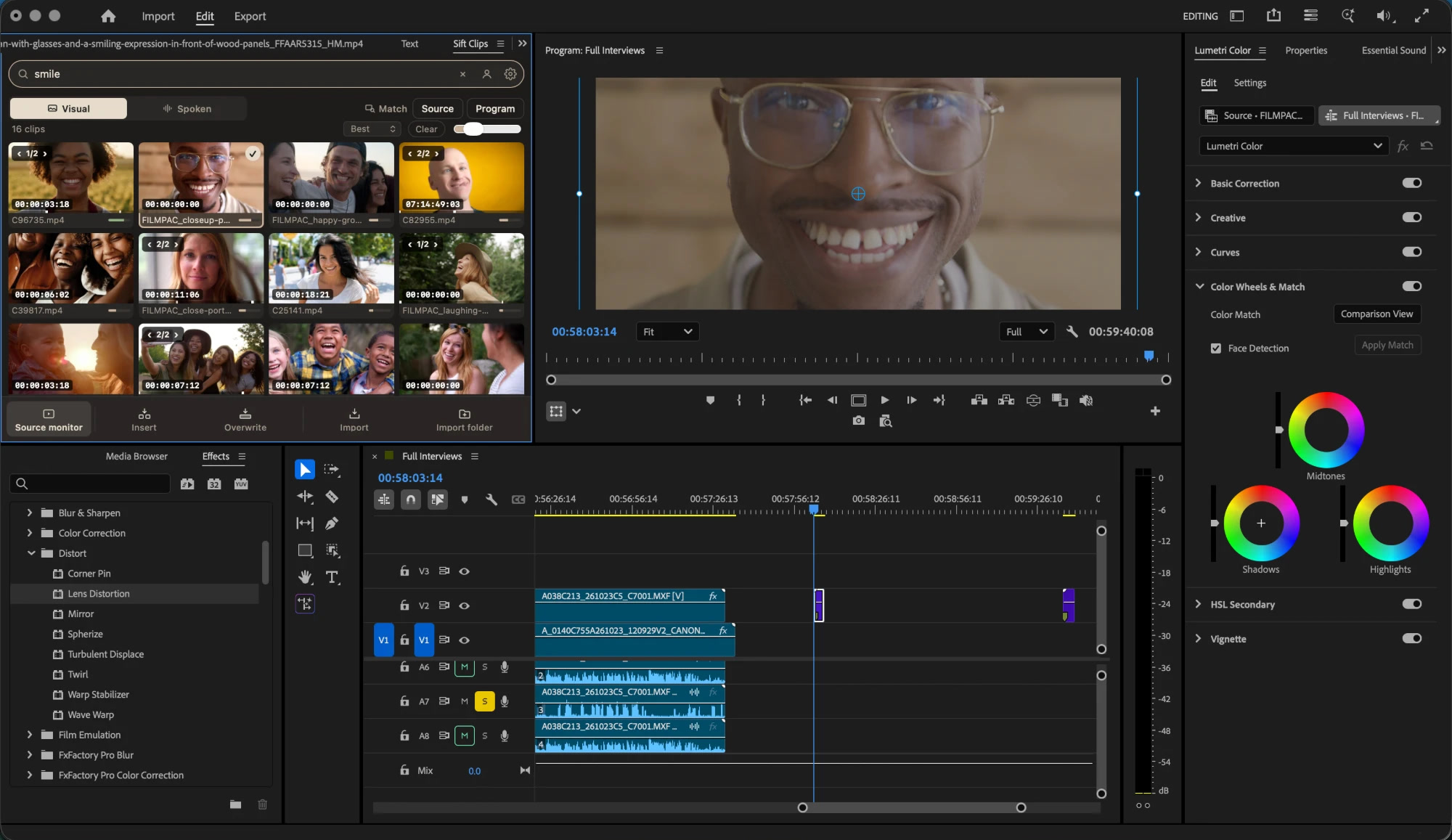
A free panel inside Premiere: search every drive, open a moment in the Source monitor, insert or overwrite at the playhead, and bring Selects in as bins. Works with Premiere Pro 25.6 and Adobe Premiere 26 and later. Listed on Adobe’s Creative Cloud Marketplace.

About the Premiere panel
DaVinci Resolve

A panel under Workspace › Scripts: search, import into bins, append to the timeline or place a clip at the playhead.

About the Resolve panel
Final Cut Pro

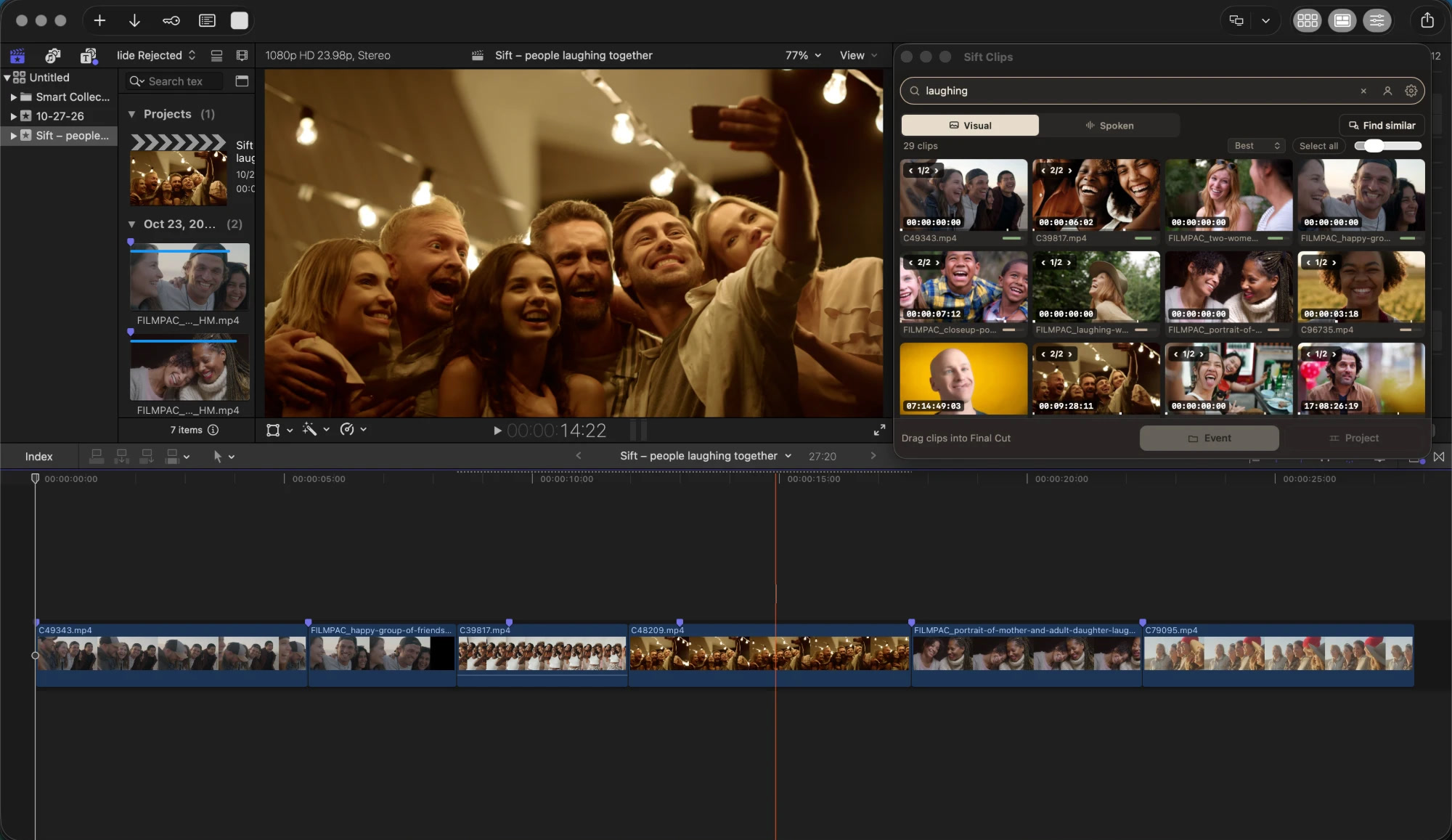
New in Sift 1.0.12. A panel in Final Cut (Window › Extensions › Sift Clips): drag moments onto the timeline trimmed and marked, send picks to a new event or project, and drop a clip on the panel to find shots that look like it. Mac only.

About the Final Cut Pro panel
Frame.io

New in Sift 1.0.12 and included in the license. Search Frame.io projects by picture and speech next to your own drives. Originals download only when you bring a clip into your edit, after Sift asks.

About Frame.io search
Claude and ChatGPT

One click connects the Claude or ChatGPT desktop app to Sift. The assistant finds footage, checks how shots move and sound, organizes Selects and lines up b-roll on a new timeline; sending and sharing wait for the editor’s Allow. People an editor shares with can search that footage with their own assistant. It never edits footage or the editor’s sequence.

Sift for AI assistants
On its own

Sift is a complete app without any editor: preview clips, build Selects with notes, find similar shots, and send private links people can search on any phone.

How Visual search works

Images.

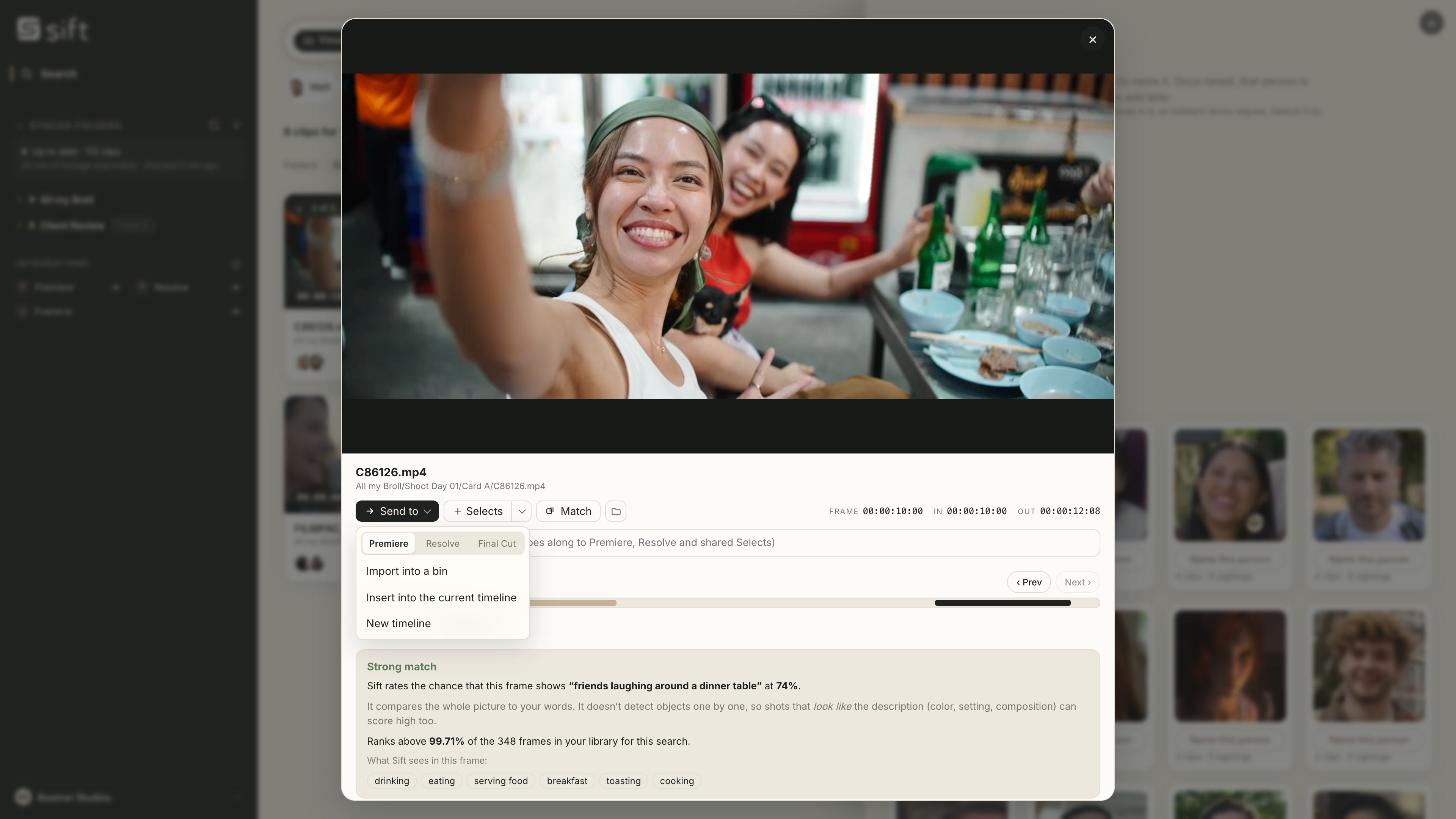
Real screenshots of Sift Clips, each with a caption. Click an image for the full-size original.

Inside the editors

The footage shown is licensed stock, used to demonstrate the app.

Logos.

Use the dark logo on light backgrounds and the light logo on dark ones. Please don’t recolor, stretch or re-letter it. The name is “Sift Clips”.

Sift Clips logo, dark
Logo, darkFor light backgrounds
Sift Clips logo, light
Logo, lightFor dark backgrounds
Sift Clips symbol, dark
Symbol, darkFor light backgrounds
Sift Clips symbol, light
Symbol, lightFor dark backgrounds
Basalt #20221FIvory #F3EFE5Sand #E8DCCBDune #C8B199Typeface: Inter

App icon (PNG, 1024 px)

Sift Clips in 40 seconds.

A silent demo: Visual search, sending a moment to an editor, Spoken search and People.

Longer walkthroughs with narration are on our YouTube channel.

Press contact.

For interviews, a demo or questions about Sift Clips, email us.